

Free touch typing educational game
RapidTyping is a free game that teaches its users the proper way of typing with the keyboard, with the aim of increasing the user’s speed and accuracy. It follows a modular structure, with the lessons and challenges divided into different chapters. Each chapter in the game focuses on a specific aspect of keyboard typing.
As an educational material, RapidTyping combines animated backgrounds and a brightly colored interface to teach users touch typing or the technique of typing words without the need to look at the keyboard every so often. This is an important skill for writers, programmers, encoders, and the like.
Progress through increasingly difficult tasks
As soon as you start RapidTyping, you will find the game divided into two courses and four lessons. The two courses serve as the difficulty level, with English-language users having access to Introduction and Beginner Courses. On the other hand, the lessons deal with a specific section of the keyboard: the basic keyboard, shift keys, the digit keys (located above the letter keys), and the numerical pad.
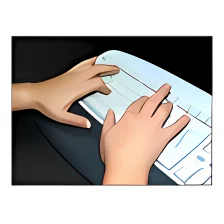
Each lesson teaches you the basics of proper hand position, where each of the ten fingers is responsible for a specific area of the keyboard. Usually, the thumbs are placed on the spacebar under this method. The first lessons are usually a string of repeating characters, which allow a certain pair of fingers to get used to both ends of the keyboard. As you progress, you learn to use your fingers to reach out for other keys like control, tab, and alt buttons.
Lastly, as you accomplish each task, you are presented with a statistical report of how you did. It shows your speed in Words Per Minute (WPM), as well as your accuracy, and your speed in each of the keys in the tasks in Keys Per Minute (KPM). The only shortcoming in this app is that it doesn’t have a task where you type in entire sentences or paragraphs, unlike in other programs like TypingMaster Typing Test.
Support for other keyboard languages
One interesting feature for RapidTyping is that it allows you to create your own lessons, allowing you to test yourself or other users with custom challenges. If you’re a parent or an instructor, you can definitely build your own program to better sharpen your kids’ or your students’ typing skills. Whether you take an excerpt from a fable or a novel, you can make more engaging content and see how fast and how accurate they can type it.
The app also boasts an expansive library, showing the languages supported by the game. This allows users from around the world to use this and select the language and keyboard layout that works best for them. However, make sure that you have the language support installed on your system. For example, if you intend to practice Simplified Chinese using RapidTyping, make sure that you have it first in your device. The app also recognizes which languages you have in your system, making it easier to check.
A customizable learning tool
RapidTyping remains one of the most popular typing apps because of its simple interface and wide support for various languages. It is designed for new users to get used to the keyboard and use it efficiently. While it doesn’t have preset tasks involving sentences or paragraphs, you can create your own and it works just as well. Its colorful interface also helps stimulate young learners, making the experience fun and more engaging.























User reviews about RapidTyping
by Rolf Lundekvam
I tried many, but RapidTyping is the best free software out there. 10/10
by Battle Cry
Best typing software i've ever used. Made my typing skill better and faster.
by Rhymes Cyndell Pasobillo
Yes, because I just want to learn more and to improve my skills for better.
by Rahul Roy
very useful typing app thaty i have seen. I love this app. this is so user friendly
by Jahid Bin Murtaza
Obviously i recommend it.. cause it's a very easy to learn typing for beginner so personally i will recommend everyone who want to learn it..
and i one thing to be honest i have used all the typing software in Online. but I have seen it's so very much needed for beginner. More
by Jagrati Saini
I m happy with for rapid typing.yes i will recommend to other for this.